



While there are plenty of high-rated, generic bookkeeping software options on the market, if you’ve tried using any of these “all-purpose” type solutions for your legal firm, you’ve likely encountered their limitations in relatively short order.
Generic solutions don’t provide you with an easy way to maintain separation between client funds and operating funds or tie billable hours directly to your invoices, for example. And it only takes one mistake, like an error in your trust ledger, to create an ethics complaint.
That’s why it’s so important to adopt a legal accounting software platform that works how your firm does. If you’re currently weighing your options, this guide will put you on the right track, covering what to look for, how the major platforms stack up, and why so many firms are consolidating their books and their case management into unified systems.

What Are Features That Make the Best Law Firm Accounting Software?
One of the easiest ways to evaluate different accounting software platforms is to start with a checklist of “must-have features” for your firm. That way, you can focus on the features and functions that will make the biggest difference for your firm, without driving yourself crazy trying to compare feature lists and draw useful conclusions about them.
Core Legal Accounting Software Features to Prioritize
To get you started, here are a few of the most important features to look for in an ideal legal-specific accounting solution
- Three-Way Trust Reconciliation: While performing three-way reconciliations is possible with generic accounting solutions, they lack built-in functionality to track client ledgers and require significant manual effort to ensure everything is reconciled correctly. Legal accounting software should allow you to seamlessly cross-reference that your bank balance, client ledgers, and trust ledgers are aligned without added manual steps. It should also simplify documentation with audit-ready reports compliant with the ABA and state bar regulations.
- Built-In Guardrails Against Commingled Funds: Segmenting trust and operating accounts is fundamental to compliant legal accounting. While creating distinct accounts within generic solutions is possible, legal-specific platforms should go further by structurally blocking transactions that would create a negative client balance or improperly move funds between trust and operating.
- Reporting Broken Down into Client- and Matter-Level Accounting: Most generic accounting solutions only provide surface-level data. If you really want to dig into the details of how your cases impact your firm’s accounting, you’ll need to be able to look at both client and matter-level numbers. Legal-specific accounting should turn your financial data into decisions you can act on instantly by having matter and client-level billing flow directly into the corresponding client ledger.
- Bank-Level Encryption, Audit Trails, and Role-Based Permissions: If you’re relying on a generic third-party accounting solution, you’ll likely be transferring financial data between multiple platforms. Using a legal-specific accounting solution built into your case management ensures your firm has a clear, defensible record of who did what and when–offering necessary financial oversight and compliance adherence.
Additional Considerations
To maximize your investment in small law firm accounting software, you’ll also want to prioritize these aspects:
- Cloud Interface: Cloud-based legal practice management software enables you to access your books from the office, courthouse, or kitchen table, with real-time data updates no matter where you’ve happened to log in from.
- Migration and Support: In vendor conversations, be sure to ask about how onboarding and support are handled. For example, will they help migrate your existing client ledgers and historical invoices, or will you be required to start from scratch?
- Billing Reporting and Data: Custom reporting features make it possible to create the exact types of reports your firm needs, including aging reports, trust balance summaries, or revenue by matter type.
- Transparent Pricing: Some platforms advertise a low base price, only to turn around and charge extra for trust accounting or advanced reporting. And in many cases, the “real cost” only becomes clear once you’ve added the full range of features you need.
Law Firm Accounting Software Comparison
Even within the law firm accounting software category, firms have no shortage of options, including some you may have heard of before and plenty you likely haven’t. And while you can generally count on the most well-known platforms to handle the basics pretty well, like time tracking, invoicing, and some form of trust accounting, where they really differ is in how deeply those accounting functions connect to the rest of your practice.
PracticePanther
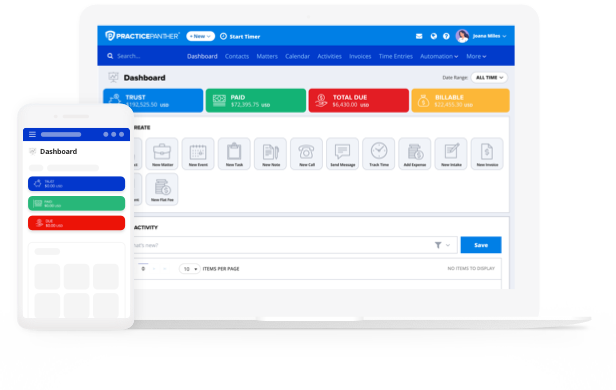
In PracticePanther, trust and operating accounting live in the same platform you already use to manage cases, so there’s no toggling between systems, no double entry, and no gaps to patch.
PracticePanther offers:
- A guided three-way reconciliation wizard to walk you through month-end trust reconciliation in minutes. PracticePanther’s step-by-step workflow automatically matches bank transactions to your trust ledger and client balances.
- Pre-set guardrails to flag commingling risks, overdrafts, and unearned revenue before they become a problem. These built-in safeguards include low-balance alerts that notify you when client retainers fall below thresholds and can trigger replenishment invoices, keeping matters funded and your firm safe.
- One-click reconciliation report generation for fully IOLTA, ABA, and state bar-compliant and audit-ready reports in a couple of clicks. Every report includes adjusted bank balances, client ledger totals, trust ledger balances, and detailed breakdowns of uncleared transactions, providing end-to-end documentation for audits and compliance reviews.
- Matter-level expense tracking allows you to link all reimbursable costs back to the correct client, case, or matter.
- A law firm-specific Chart of Accounts offers custom classification for your firm’s general ledger accounts–control how your income and expenses are classified, with flexible organization across items, categories, payments, and expense types.

Clio
Clio offers accounting features within its broader suite, but rather than relying on it as a standalone system, many firms ultimately resort to running it alongside a separate bookkeeping platform like QuickBooks. While that serves as a functional workaround, it also means more logins, double data entry, and more opportunities for your trust and operating numbers to fall out of sync.
It is also important to note that Clio’s accounting exists on a separate platform that requires its own login and charges an additional monthly add-on fee on top of a subscription to a Clio Manage plan.
MyCase
MyCase offers legal accounting features tied to its case management platform, with trust accounting and invoicing both as built-in functions. It covers the fundamentals, but firms often find the deeper reporting functionality they need locked behind higher-tier plans, meaning you have to essentially pay a premium just to get the visibility you need into your firm’s performance.
To access MyCase Accounting, you’re required to pay an extra monthly add-on cost on top of the MyCase plan you are subscribed to. Therefore, whether you’re on their entry-level or top-tier plans, your accounting system shows up as an entirely separate line item.
Cosmolex
CosmoLex, which specifically built its reputation on trust accounting and handles those functions well, doesn’t provide the wide range of features most firms need. So these firms again wind up with gaps they need to address elsewhere. That means if you’re looking for strong case management, client communication, and intake tools within a single platform, CosmoLex isn’t your ideal answer, either.
Plenty of other legal accounting software platforms provide a similar experience, including a mix of advantages and drawbacks and some features that are stronger than others.
How to Choose the Best Law Firm Accounting Software
Beyond comparing their feature lists against your checklist of “must-haves,” there are three key ways to evaluate different billing and accounting software for a law firm:
- Reading law firm accounting software reviews and customer testimonials online.
- Scheduling a custom demo to see the product in action.
- Signing up for a free trial to get a sense of the hands-on experience.
If trust compliance is a priority, it’s worth reviewing your obligations directly through the American Bar Association’s resources on trust accounts, since every state imposes its own rules on top of the ABA’s foundation.
And if you’re curious how your firm’s size compares to the broader market, Statista’s data on U.S. law firms shows just how many firms are competing for the same clients, which makes an efficient back office, powered by the right law firm trust accounting software, even more of a competitive advantage.
PracticePanther: Legal Accounting Simplified
Law firm trust accounting software works best when it’s built into your case management platform, rather than being layered on top as an afterthought.
With PracticePanther, your trust ledgers, invoices, time entries, and client communications live in one platform, leading to fewer errors, increased efficiency, and a lot less time spent toggling between apps.
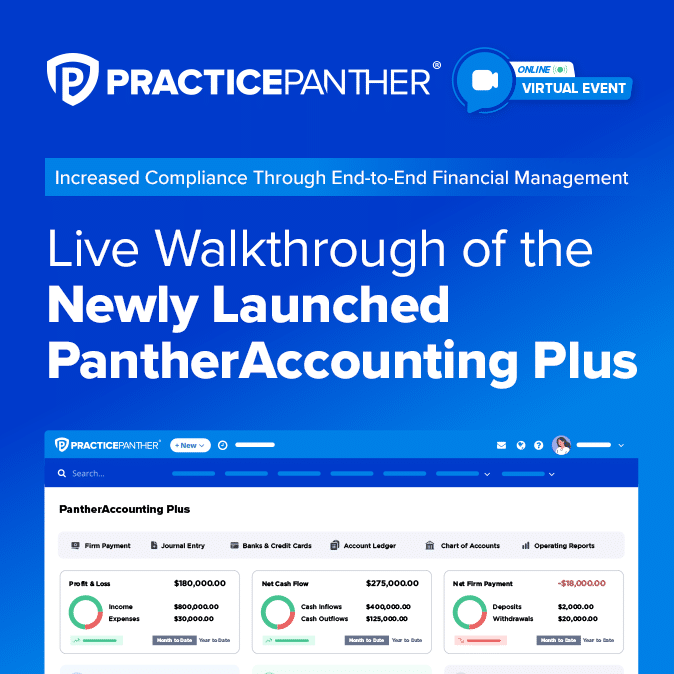
For a closer look at how it all fits together, you can watch this walkthrough to see the accounting features in action. Or click the button below to schedule a demo and see how PracticePanther can simplify your firm’s accounting for 2026 and beyond.