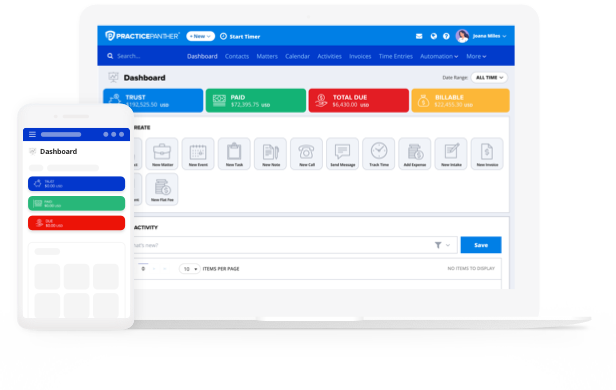
When evaluating types of legal case management software, it’s important to consider accounting functions in addition to standard billing features. This article covers how to evaluate accounting integrations in legal case management platforms and why more firms are moving away from using disconnected platforms.
The Current State of Integrations for Legal Case Management Software
It is important to note that integration capabilities vary wildly. Some platforms sync one-way only, meaning updates in your accounting software don’t flow back into your case management system. Others sync selectively, leaving firms to manually reconcile the gaps, especially around IOLTA compliance, where accuracy isn’t optional.
Additionally, many integrations tend to stop at operating accounts, leaving trust accounts out entirely. This can lead you into trouble if you assume your accounting software is tracking trust activity just because it’s syncing with your case management platform.
For example, QuickBooks is the most widely used accounting application among small and midsize businesses and law firms, and it generally performs well with basic functions. But it wasn’t built for legal practice, as it lacks built-in IOLTA compliance features, three-way reconciliation for trust accounts, and matter-level billing.
On the other hand, PracticePanther’s built-in law firm accounting software maintains compliance by bringing all trust and operating accounting tasks and functionality into a single platform. Rather than managing your data in disparate systems, PracticePanther’s trust and operating legal accounting software suite keeps your entire financial workflow, from intake payments to final invoices, on the same platform you already use to manage your cases.

Accounting Features to Look for in Legal Case Management Software
Aside from PracticePanther, Clio and MyCase are the two other major case management platforms most likely to come up in this conversation, since both have accounting capabilities as part of their case management platforms. That said, there are important differences to note between these systems.
Clio
Clio Manage includes trust accounting, with matter-level trust ledgers, low-balance alerts, and support for three-way reconciliation. However, it falls short of a true all-in-one system on the operating side: core plans don’t include general ledger accounting, so firms typically need to layer on Clio Accounting, a separate paid add-on, or keep QuickBooks Online or Xero running alongside Clio for bank reconciliation, financial statements, and payroll. In other words, firms often end up paying for and maintaining two connected systems instead of one.
MyCase
MyCase also includes trust accounting functionalities into its core platform via MyCase Accounting, an optional general ledger module meant to stand in for QuickBooks. In practice, its trust reporting tends to be thinner than what firms find in Clio or PracticePanther, and firms in states with more detailed trust accounting requirements often still have to export data and assemble compliant reports by hand.
Payments that need to be split between an operating account and a trust account, such as a single client check covering both a flat fee and a cost reimbursement, also require manual review to confirm the split posted correctly.
Both platforms show why having accounting capabilities within a case management system can still leave gaps at the edges, whether that’s an add-on you have to purchase separately or reports you have to rebuild by hand. Here’s how PracticePanther approaches the same set of problems.
PracticePanther’s Trust Accounting Features
PracticePanther includes a Guided Three-Way Reconciliation Wizard that turns an hours-long end-of-month reconciliation into a process that can be completed in a matter of minutes.
The platform also provides one-click reconciliation reports built for state bar audit readiness and pre-set guardrails that help proactively prevent commingling of funds, overdrafts, and early recognition of revenue.
Retainer balances are also monitored automatically, with low-balance alerts and replenishment invoices generated without requiring manual tracking.
PracticePanther’s Operating Accounting Features
Within PracticePanther, law firm accounting runs through a legal-specific Chart of Accounts, where firms can fully customize how all transactions are classified in their General Ledger.
It also includes matter-level expense tracking that ties case related expenses, such as filing fees, office space rent, personnel expenses, and other costs, directly to the right client and case, as well as journal entries that keep corrections and adjustments audit-ready, and the ability to print checks and deposit slips when you need them, without leaving the platform.
Finally, when it comes to reporting, PracticePanther includes a full suite of pre-built financial reports, including:
- Profit and Loss
- Balance Sheet
- Cash Flow Statement
- Trial Balance
- Custom operating reports you can easily filter by date range, contact, matter, or payee.
Choosing the Right Setup for Your Firm
If you’re seeking out top-rated legal accounting software for your firm, or looking to eliminate the back-and-forth between two disparate systems completely, PracticePanther’s PantherAccounting Plus is worth strongly considering. It’s custom-built to solve the problems that arise when your case management and accounting platforms don’t integrate well, including miscategorized transactions and books that simply aren’t audit-ready. Start your free trial today, or use the button below to schedule a custom demo to walk through what a setup for your firm might look like.