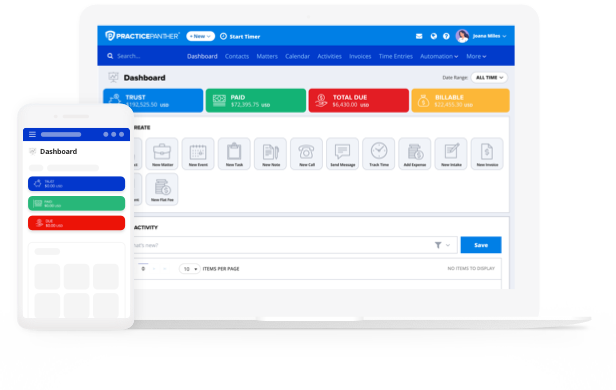
If you’ve ever tried managing your firm’s billing with software that’s “almost good enough,” you know how frustrating it can be. Clunky invoicing, time tracking that feels like a chore, a system that just doesn’t play nicely with the rest of your software. Ultimately, legal billing software isn’t helpful unless it fits your workflow, and that comes down to features.
When choosing the right platform, there are a few non-negotiables every firm should look for. In this blog, we’ll walk through six law practice legal billing software features that make the biggest impact, especially for small and midsize firms juggling limited time and growing caseloads.
Here’s what we’ll cover:
- Time and expense tracking
- Customizable invoicing
- Trust accounting
- Clear, actionable reporting
- CRM and client portals
- Security measures
By the end of this blog, you’ll know exactly what to look for in legal industry billing software and how to pick a solution that makes your firm more efficient and profitable.
Legal Time and Expense Tracking
Accurate time and expense tracking is the foundation of your legal billing process. After all, every billable minute and reimbursable dollar counts. When these details are tracked inconsistently or manually, the ripple effect will show up in billing delays, lost revenue, inaccurate client invoices, and poor financial reporting.
The most robust time and billing software for law firms solves these challenges by making time capture and expense tracking a seamless part of your daily workflow. Whether you’re billing by the hour, by flat fee, or on contingency, the right system captures your work as you go so nothing gets lost, and invoices are always backed by clean, detailed records.
Key Legal Billing Software Expense Tracking Features:
- Automated Time Capture: Track time directly from calendar events, task timers, emails, or mobile apps without interrupting your workflow.
- Multiple Timers: Run and pause multiple timers at once to track different matters in real time (especially useful during all of your busy multitasking days).
- Activity-Based Entries: Assign time to specific clients, matters, or tasks with billing codes and custom descriptions for precise records.
- Expense Upload and Categorization: Upload receipts, tag expenses to the appropriate matter, and categorize costs for accurate pass-through billing.
- Mobile Accessibility: Log time and expenses from court, client sites, or anywhere you’re working so you don’t have to wait until you’re back at your desk.
- Integrated Approval Workflows: Route time and expense entries through approval chains before billing to catch errors early.
Why Legal Time and Expense Tracking Matters
When time and expenses feed directly into invoicing, reporting, and payments, the result is a faster, more reliable billing cycle. You can generate invoices with confidence, forecast revenue accurately, and identify productivity gaps by analyzing tracked time across teams and matters. For firms evaluating solutions, be sure to look for solid legal billing software reviews that highlight how well a platform ties together these core capabilities. If the time tracking experience isn’t easy or integrated, it’ll get ignored, costing your firm both time and money.
Custom Legal Invoicing
At Haber Blank LLP, custom invoicing was once a manual, time-draining process. Billing staff had to constantly adjust rates and formats depending on the matter type, especially for court-appointed cases where hourly rates shift. Since switching to PracticePanther, their team now saves hours every week by using preset invoice templates tailored to each case type. Tasks that once took hours are now done in clicks.
That’s the power of custom legal invoicing. Like Jason’s team at Haber Blank, you need a flexible system that adapts to the unique billing structures, client expectations, and compliance needs of law firms. Unlike generic invoicing platforms, your legal billing software needs to handle more than just time and totals. It must integrate deeply with your firm’s operations, from matter codes to payment schedules, and give you control over how, when, and what clients are billed.
Invoicing Features
Here’s what to look for when it comes to legal invoicing features:
Key Features:
- Built-in time tracking that automatically pulls tracked time into invoices.
- Expense tracking that lets you link billable expenses to specific matters.
- Billable vs non-billable flagging to prevent overcharging or confusion.
- Customizable invoice templates so you can tailor the format by client, matter, or fee arrangement
- Automatic invoice generation with recurring billing or batch invoicing capabilities.
- Notifications and reminders to let clients know when invoices are ready or overdue.
- Write-offs and adjustments that make billing corrections without redoing everything.
- Multi-client/multi-matter support so you can handle complex client structures easily.
- Trust accounting support that lets you apply retainer funds or link invoices to trust balances.
- Secure client access so your clients can view, pay, or download invoices via their own portal.
- Billing analysis to bring together all of your firm’s key billing and productivity insights in one place. PracticePanther’s Billing Analysis Report feature offers a detailed view of how each invoice line item progresses from Worked to Billed, displaying comparable columns that make it easy to analyze your firm’s billing activity.
Why Custom Legal Invoicing Matters
Legal work doesn’t follow a one-size-fits-all model, and neither should your invoices. Whether you’re billing hourly, flat fee, on contingency, or using a hybrid model, your invoicing system should flex to match your practice. Clients also expect transparency: they want to see what work was done, when, and for how much, all broken down clearly by task, time, or expense. Without this clarity, billing disputes are more likely, and payments take longer.
When choosing a billing and invoicing solution, make sure it can support your firm’s current and future needs. If you handle retainers, you’ll need trust accounting integration. If your clients follow strict billing guidelines, customizable templates are critical. And if your team wants to cut back on admin hours, automated invoice generation is a must.
Custom invoicing improves accuracy, builds client trust, and keeps cash flowing. When combined into an all-in-one CRM legal software like PracticePanther, it can also help you better understand billing trends, client preferences, and profitability across matters.
Trust Accounting
Trust accounting is the practice of handling client funds separately from your firm’s operating funds, in compliance with state bar and ethical rules. If your firm accepts retainers or holds money in trust for any reason, you need a system that does more than simply “track” balances. You need software that makes it easy to stay compliant, transparent, and audit-ready at all times.
What Trust Accounting Software Should Do
The best legal billing software doesn’t treat trust accounting as an afterthought. It builds it in, right alongside your invoicing, payments, and case management features. Look for capabilities like:
- Retainer deposit tracking to easily log funds received in trust.
- Apply retainers to invoices to pay client bills directly from trust when permitted.
- Client- and matter-level ledgers that maintain clear, separate records for each.
- Reconciliation capabilities so you can match bank records with your trust ledgers.
- Automated reports that generate statements for clients and internal audits.
- Audit trails that keep a transparent log of all trust account activity.
- Jurisdictional compliance that aligns with local and state bar rules for trust funds.
- Multiple trust accounts that support more than one trust ledger or account, if needed.
Why It Matters
Mistakes in trust accounting can lead to serious consequences like malpractice claims, bar complaints, or even disbarment in extreme cases. A proper trust accounting system dramatically lowers that risk by providing built-in guardrails like automatic separation of funds and transparent records.
On the operational side, it also saves your team time. Instead of juggling spreadsheets or manually reconciling accounts, trust accounting software does the heavy lifting. That means more time spent on billable work, less stress during audits, and peace of mind knowing your firm is compliant.
When evaluating billing software, check whether trust accounting is included or costs extra. Make sure it supports your jurisdiction’s requirements, generates detailed trust reports, and makes reconciliation easy, even for non-accountants.
Custom Reporting for Firm Finances
Legal management reporting is about making smarter decisions, faster. For law firms, reporting means generating detailed insights from your billing, trust, timekeeping, and financial data. Done right, reporting helps uncover what’s working and where your firm is leaving money on the table.
Common Financial Reports Your Law Firm Should Use
Financial Overview Reports
- Billing summaries that total billed by timekeeper, matter, or client.
- Write-offs and discounts so you can track non-billable adjustments.
- General Ledger to show what’s coming in and going out.
- Accounts receivable aging reports so you can see which invoices are overdue.
Trust-Accounting Reports
- Trust balance summaries for an at-a-glance view of all trust balances.
- Detailed trust ledgers so you can track every transaction by client/matter.
- Trust reconciliation reports for matching bank statements to trust ledger records.
Matter-Level Reports
- Profitability per matter/client helps you understand which cases bring in the most revenue.
- Time and expense summaries to monitor productivity and cost per case.
- Outstanding balances by matter so you can prioritize collections and follow-ups.
Why Financial Reporting Matters
When you can see where your revenue is coming from, which matters are most profitable, or which clients are chronically overdue, you’re able to steer the firm with confidence. Reporting empowers your team to:
- Spot billing or trust accounting issues early
- Track attorney or matter-level profitability
- Identify unpaid or unbilled time
- Budget and forecast more accurately
- Maintain compliance and prepare for audits
- Provide transparency to clients and firm partners
Legal Client Portal for Billing
A legal client portal is a secure, user-friendly space where your clients can log in to access documents, view case updates, pay invoices, and communicate with your team. Built into some (but not all!) legal billing software, it can function as part of a larger CRM (client relationship management) system, bringing everything from intake forms to ongoing communications under one roof.
Key Features to Look For
- Contact and matter tracking with centralized data on every client and case.
- Document storage and sharing so you and your clients can upload, share, and organize files securely.
- Invoice and payments access that lets clients view, download, and pay invoices in one place.
- Secure messaging for direct communication without using unsecured email
- Online intake forms to streamline onboarding for new clients
- Payment history and retainer visibility so your clients can see what they owe and what’s been paid.
- Automated notifications that alert clients to new documents, messages, or unpaid bills.
- Mobile accessibility so clients can log in and manage their info from anywhere.
Why This Matters
Clients want transparency and convenience. A client portal gives them both. Instead of endless back-and-forth via email or phone, clients can see their case progress, pay outstanding invoices, and upload sensitive documents, all without ever having to call your office. For your firm, this means less time chasing payments or repeating information, and more time delivering results. It’s a win-win.
By offering a client portal, you can also:
- Improve client trust and satisfaction through greater transparency
- Reduce admin workload by letting clients self-serve
- Increase invoice turnaround time by making payments easier
- Present a professional, modern experience that supports retention and referrals
- Stay organized and compliant with centralized recordkeeping
When evaluating law practice legal billing software, make sure the portal is easy to use, mobile-friendly, and integrates directly with your billing, calendaring, and document systems.

Robust Security
Nothing is more important than safeguarding your clients’ information. Law firms deal with highly sensitive data like personal details, financial records, and case strategies, to name just a few, and any security lapse can lead to serious consequences. That’s why robust security should be a non-negotiable feature in any law practice software you’re considering, especially one handling billing and trust accounting.
What Billing Software Security Should Include
Data Encryption: End-to-end encryption makes sure that your client data can’t be intercepted or read by unauthorized parties. For example, PracticePanther offers 256-bit military-grade encryption to ensure client and firm information remain protected.
User Authentication and Permissions: Multi-factor authentication (MFA), role-based access controls, and user-level permissions help limit who can see or change what, which is crucial for maintaining confidentiality across your team. PracticePanther lets you assign role-based permissions and operate in compliance with legal-specific regulations for storing information.
Audit Logs: Automatic logs of user actions allow you to monitor activity, catch unauthorized access, and maintain accountability. PracticePanther ensures all alterations to documents, client data, case information, and more are logged with a time and date stamp along with who made the change.
Secure Payment Processing: Any platform handling billing must support PCI-compliant payment processing with protections for ACH and credit card transactions. PantherPayments is fully compliant with IOLTA, ABA, and all state bar guidelines for online payments.
Client Portal Security: A secure portal should offer document sharing, invoice access, and messaging without exposing sensitive info. It must meet all privacy and compliance standards. PracticePanther allows you to track version history and offers the ability to enable access to specific IP addresses, allowing you to choose where you or your staff can view confidential files.
Data Backup and Recovery: Built-in redundancy and disaster recovery systems prevent data loss in the event of an outage or breach. PracticePanther and Microsoft Azure’s Geo-Redundant Servers work together to ensure your data is always safe and backed up in more than one location.
Regulatory Compliance: Depending on your jurisdiction, make sure the platform supports ABA guidelines for legal data protection. The ABA has even created guidelines that recommend the use of all-in-one legal platforms, like PracticePanther, to securely support how law firms practice.
What to Look For
When you’re choosing legal software, don’t stop at the feature list. Take a closer look:
- Ask vendors about their encryption protocols and certifications
- Review their uptime and incident history
- Test user access settings and MFA options
- Make sure there’s a clear, transparent privacy policy
- Confirm whether they store data in the U.S. or abroad (jurisdiction matters)
- Train your staff on password hygiene and platform access
Your software should be built with the same level of care you’d expect in a courtroom. Don’t settle for less.
What About Legal Billing Software Integrations?
In the context of legal billing software, “integrations” simply mean the ability for your billing software to connect with the other platforms you already rely on.
Common Legal Software Integrations
Modern law practice management systems, especially all-in-one platforms like PracticePanther, often come with built-in or one-click integrations that support:
- Accounting software (like QuickBooks) so you can sync your ledger and financials. PracticePanther seamlessly integrates with Quickbooks so you can easily manage your billing in PracticePanther and download detailed, accurate reports from Quickbooks.
- Email to ensure no communications get lost or go unnoticed. PracticePanther offers integrations with Gmail ,Outlook, and MailChimp to ensure your messages are logged and tracked automatically.
- Productivity and Automation platforms to keep client contact info and communication logs up to date.
- Trust accounting banks so you can reconcile retainers without manual downloads. PracticePanther integrates with TrustBooks, allowing for a smooth one-way integration of contacts, matters, transactions.
Why Integrations Matter
Without integrations, your team is stuck copying data between systems in a time-consuming, error-prone, and frustrating process. Integrations eliminate the middle steps. They:
- Cut down on manual work
- Keep data consistent across systems
- Reduce the risk of billing errors
- Speed up billing and collections
Integrated systems mean you don’t have to jump between platforms or guess where a billing issue originated. Everything works together, saving your firm hours each week. Clients benefit, too when invoices are accurate, payments are fast, and communication is seamless. You’ll see trust goes up and payment delays go down.
If you’re evaluating billing software, here are a few smart questions to ask:
- Does it integrate with the software we already use?
- How easy is it to set up and maintain?
- Is data transferred securely and automatically?
- Can we export or import data if needed?
- Does it support firms in our jurisdiction or region?
- Can we customize how integrations behave?
The right integrations unlock the full value of your billing software. Learn more about integrations and their impact here.

Wrapping Up: Legal Billing Software Features Checklist
Choosing the right legal billing software can transform how your firm operates by streamlining workflows, reducing errors, and improving both financial clarity and client experience. Use the checklist below as a quick reference when comparing solutions. It can help you ask smarter questions during demos, identify gaps in your current system, or find a better fit for your firm’s size and structure.
| Area | Must‑Have Features |
| Time and Billing | Timers, manual time entries, multiple rates, expense tracking, flexible billing models |
| Invoicing and A/R | Custom invoice templates, batch/automated billing, online payments, reminders, A/R aging |
| Trust and Accounting | Trust fund safeguards, client/matter ledgers, reconciliation, accounting software, or integrations |
| Reporting | Real-time dashboards, profitability and utilization reports, attorney productivity, accounts receivable tracking |
| CRM and Client Portal | Contact management, secure messaging, intake forms, document sharing, invoice access |
| Platform and Security | Cloud access, role-based permissions, encryption, audit trails, integrations, reliable support |
PracticePanther Tip: Before deciding on a platform, check its compliance with your jurisdiction’s bar rules, talk to peers, read product reviews, and don’t skip the custom demo.
Looking for a deeper dive into how to assess your options? Download our Law Firm Software Guide for insights that go beyond the basics.
Use this checklist as your guide to finding a legal billing software solution that works for your firm today and scales with you tomorrow.