The pace is relentless in every legal practice. New leads, urgent filings, billable hours, client updates, compliance deadlines…it’s a daily rush of moving parts, all demanding attention at once.
And too often, law firms get pulled under by the weight of repetitive tasks: retyping the same contract language, chasing down unsigned documents, and manually building invoices line by line.
However, the right tech stack can reduce friction, automate routine steps, and keep your team focused on the work that actually matters. But with so many niche platforms and disconnected solutions, one question rises above the noise: what’s the best legal automation software for your firm?
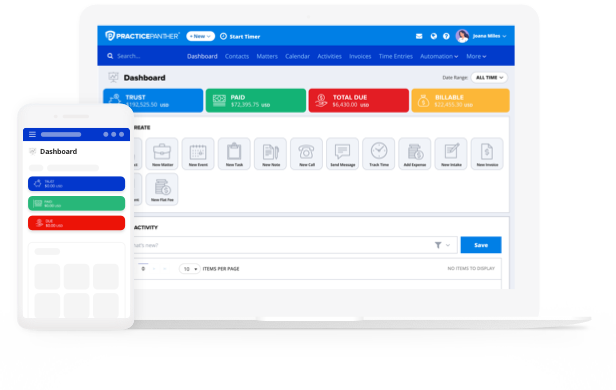
In this guide, we’ll explore the essential features of high-performing automation and why your choice should go beyond surface-level fixes. We’ll also take a look at how an all-in-one solution like PracticePanther’s online legal practice management software gives your team the visibility, control, and breathing room to thrive under pressure.
What Is Legal Automation in Practice Management?
Legal automation refers to using technology to handle repetitive or routine legal tasks without needing constant manual input from attorneys or staff. In the context of law firms, this could mean anything from auto-generating documents, assigning tasks based on matter type, triggering invoice reminders, or routing new client inquiries to the right team member.
When legal workflow automation software is built into your practice management system, it connects your firm’s key workflows into one streamlined system. Instead of jumping between apps or spreadsheets, everything flows automatically based on how you set it up.
When done right, legal automation is the foundation of a modern, scalable law firm.
Key Areas of Legal Automation
Automated Workflows
Every law firm has repeatable processes like onboarding a new client, handling a divorce case, or sending discovery requests. Automated workflows make sure those steps happen consistently and on time. Workflows reduce the risk of missing a deadline or duplicating effort. They also help teams stay aligned so everyone knows what’s next, who’s responsible, and what’s already been done.
Features to look for:
- Trigger-based task creation
- Deadline automation based on case type
- Role-based task assignments
- Progress tracking and reminders
With PracticePanther’s workflows, you can build step-by-step templates for every type of case. For example, once a new matter is created for a personal injury case, a workflow can automatically assign tasks to the paralegal, create a discovery deadline, and notify the attorney when it’s time for client follow-up. Legal template software like this helps keep your team focused and your cases moving.
Document Automation & Management
Manual document creation is a huge drain on law firm time. Repeatedly copying and pasting client info, tracking down the right version, or forgetting to redact a section can create delays or worse, risk. Document automation software is a modern solution that many lawyers turn to.
Features to look for:
- Reusable templates with auto-filled client/matter info
- eSignature integration
- Centralized document storage
- Version control and sharing
With PracticePanther’s document management solution, you can automate the creation of commonly used forms and pull in data directly from a client’s matter. Document assembly software also makes it possible to collect signatures and store the completed documents in the right place, without jumping between systems. That means faster turnaround, fewer errors, and better client service.
Billing Automations
Billing is often one of the most frustrating and time-consuming parts of running a firm. Whether it’s manually building invoices or chasing unpaid bills, every delay cuts into your firm’s profitability.
Features to look for:
- Automatic time tracking
- Recurring billing options
- Custom invoice templates
- Automated payment reminders and integrated payments
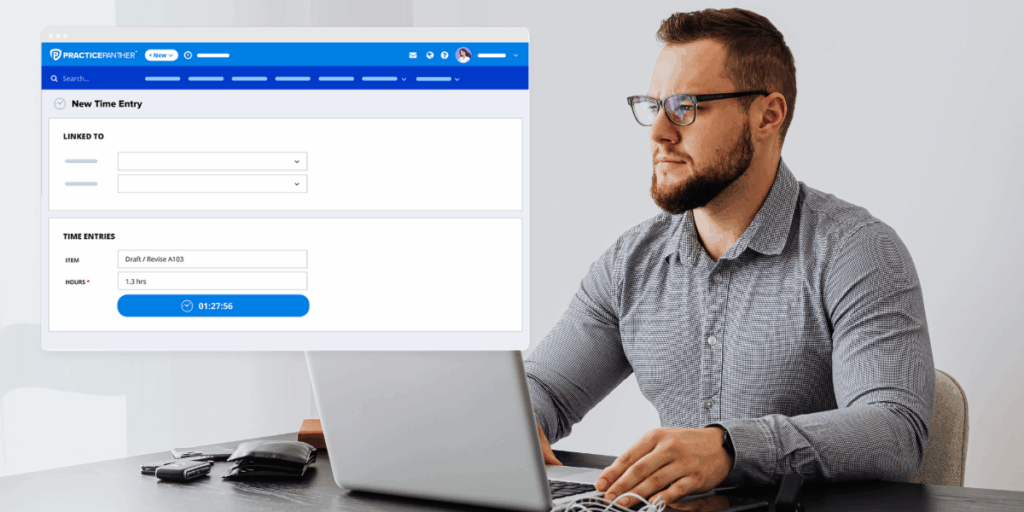
PracticePanther simplifies billing by automating the entire process. You can start a timer while working, convert that time to an invoice with one click, set up recurring billing for ongoing clients, and use PantherPayments to collect payments directly. With PracticePanther’s legal billing automation, attorneys spend less time on admin and get paid faster, solving the bottleneck of billing.
Automated Client Intake & Communication
First impressions matter. When clients have to wait days for a response or fill out paperwork by hand, your firm looks outdated and disorganized. Automated intake helps you deliver a more professional, responsive experience from the first contact.
Features to look for:
- Customizable intake forms
- Auto-triggered tasks based on new leads
- Secure client portal for communication and file sharing
- Centralized contact records and status tracking
PracticePanther’s CRM and intake features help firms capture leads, assign them to the right staff member, and automatically kick off workflows. Let’s say a client fills out an intake form on your site. PracticePanther can instantly create a contact, assign a follow-up task to your intake coordinator, and send a confirmation email. It’s a smoother experience for the client and less legwork for your team.
Case Management as the Automation Hub
At the heart of any successful law firm is solid case management. But when that system is also the engine behind your automation, everything runs more smoothly. Centralizing your data makes automation possible. If your information is scattered across different platforms, automation is harder to set up and easier to break.
Features to look for:
- Matter-centric organization
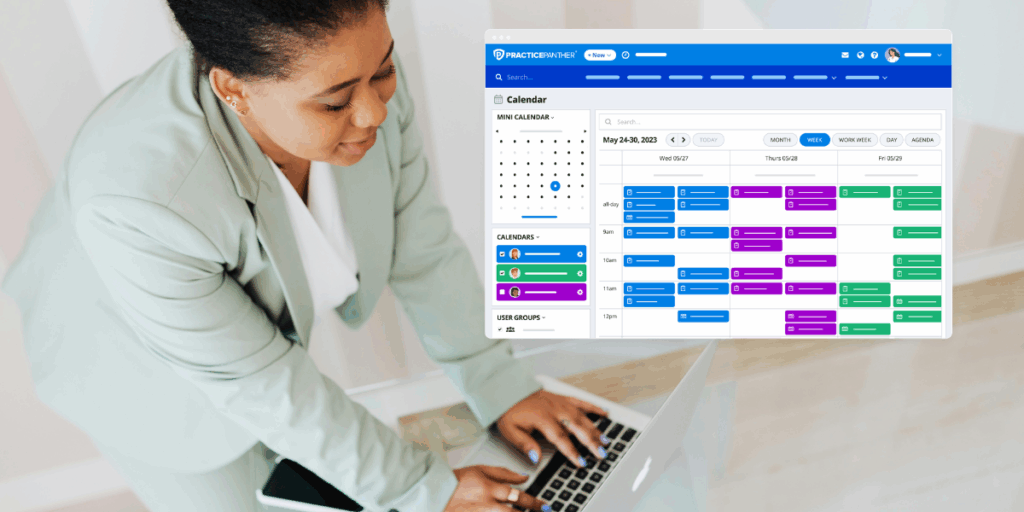
- Deadline and calendar sync
- Integrated billing and document systems
- Automation built into the workflow
PracticePanther’s case management brings all these elements together. Everything connects through the matter file, meaning once you create a case, automation can trigger tasks, generate documents, assign follow-ups, and start billing. This all-in-one approach saves hours of manual work and keeps your firm’s operations running like clockwork.
How to Evaluate the “Best” Legal Automation Software
It can be tempting to look for an option that solves just one problem, like speeding up contract creation or streamlining intake forms. But it’s not enough to find the best document automation software for law firms. You need true legal automation that goes far beyond a single feature.
To really move the needle, your document automation needs to connect with the way your entire firm operates. If your document automation solution doesn’t integrate with your billing system, calendar, or case files, it becomes just another silo rather than a proper end-to-end solution like PracticePanther.
Legal Automation Software Evaluation Checklist
Here are six criteria to keep in mind when evaluating legal automation platforms:
- Usability: Is the platform intuitive for everyone, from attorneys to support staff? Can you build automations without needing a developer?
- Integrations: Does it connect with tech you already use (email, calendars, eSignature, accounting)?
- Customization: Can you tailor workflows, templates, and automation rules to fit your firm’s specific needs?
- Compliance: Does the software support trust accounting rules, client confidentiality, and secure communications?
- Scalability: Will it work for your firm if you double in size? Or if you expand into new practice areas or offices?
- Support: Does the provider offer onboarding help, training resources, and responsive support when you hit a snag?
There are plenty of legal tech on the market, but many of them do what they promise only within narrow use cases. That can lead to a patchwork of software that doesn’t sync, leaving you with duplicate data entry and broken processes.
PracticePanther is an end-to-end platform that centralizes everything your firm needs to automate: client intake, task management, billing, documents, payments, and more. In fact, PracticePanther acts as your single source of truth, so you’re not copying data from one platform to another or manually kicking off workflows across disconnected systems. So instead of investing in five different options that each do one thing well, you can invest in one system that excels across everything you do.
Challenges & Trade-Offs of Legal Automation
Legal automation is powerful, but it’s not magic. Like any major operational shift, it comes with a few challenges you’ll want to plan for up front. Common pitfalls include:
- Over-Automation: Not everything needs to be automated. If your automations get too complex or inflexible, they can create more work instead of saving time.
- Rigidity: Some systems don’t adapt well to unique or evolving case types, leaving teams stuck with one-size-fits-all workflows.
- Adoption Resistance: Attorneys and staff may resist change, especially if they feel overwhelmed or unclear on how the new system improves their day-to-day.
Tips for Success
- Start with a Pilot Program: Roll out automation for one practice area or case type first. Measure what works, then expand.
- Offer Hands-On Training: Don’t assume everyone will pick it up intuitively. Walk your team through the platform and how it supports everyday tasks.
- Roll Out in Phases: Focus on one automation at a time. Start with intake, then billing, then document workflows, or whatever flow makes the most sense for your firm.
- Gather Feedback Early and Often: Adjust your processes based on real user feedback. That’s how automation becomes a help, not a headache.
With PracticePanther, these challenges are easier to manage. We built our platform with flexibility and simplicity in mind so firms can roll out features at their own pace, with the support of onboarding specialists and a clean, intuitive interface.
Use Cases & Success Stories
Legal automation is already helping real firms work smarter and serve clients better. Let’s take a quick look at how two of our PracticePanther clients have leveraged our platform smartly.
Slingbaum Law
Before PracticePanther, attorney Abraham Slingbaum was using separate systems for case tracking, invoicing, and payments. That created gaps and slowed down his solo immigration practice. With PracticePanther’s automation features, he centralized all his casework and billing. The result was a significant decrease in his workload. Now Abraham can go from intake to invoice without leaving our platform, and client payments are collected faster and more reliably. His words? “PracticePanther allowed me to scale my practice while maintaining control.”
Read the full story
Megan Will Law
Megan Will runs a family law firm in Texas, and like many solo attorneys, she wears many different hats. Before PracticePanther, too much of her time was being drained by admin tasks. Since implementing PracticePanther, she’s streamlined document creation, automated billing reminders, and improved client communications through the secure portal. The result? “I went from being overwhelmed to being in control,” she says.
Read the full story
Whether you’re trying to reduce billing errors, keep your team aligned, or win back more hours in the week, PracticePanther’s end-to-end legal automation solution helps you focus on what matters most: practicing law. Try PracticePanther free today or scroll down to schedule your personalized demo. See how the right automations can give your firm an operational edge.