Many attorneys, especially those at smaller firms, approach compliance in terms of what they do: how they communicate with clients, how they handle conflicts, how they manage trust funds, and so on. But it’s also important to consider compliance in terms of what their software does, which is where most of the exposure actually lies.
That means the legal case management software your firm uses to manage cases, communicate with clients, and handle client funds is more than just an operational choice or preference. Under rules set by the American Bar Association (ABA), it’s also an ethical one.
Before you evaluate any individual platform, it helps to understand the types of legal case management software available, as well as what each is designed to do. From there, the most useful questions you can ask are tactical ones, like what specific compliance requirements does your software need to support, and where does your current setup fall short?
The ABA Rules That Govern How Your Software Must Handle Client Data
Three ABA Model Rules have direct implications for the technology your firm uses: Rules 1.1, 1.6, and 5.3. You can review these and the rest of the ABA rules on the ABA website.
Competence (Rule 1.1)
Rule 1.1 requires lawyers to “provide competent representation” to each client they work with; this specifically requires “the legal knowledge, skill, thoroughness, and preparation reasonably necessary for the representation.” The ABA has extended this rule to also include technological competence, which varies depending on the lawyer’s “area of practice, the case at hand, and the technology involved.” This makes it important to make sure the software you decide to use has robust data security features, as a matter of professional conduct as well as risk mitigation.
Confidentiality of Information (Rule 1.6)
Rule 1.6 contains specific mandates around maintaining client confidentiality and the prevention of unauthorized access to, or disclosure of, sensitive client or case information. Mainly, it requires lawyers to not reveal information about a case without informed consent from the client, and to “make reasonable efforts to prevent the inadvertent or unauthorized disclosure of, or unauthorized access to, information relating to the representation of a client.”
This rule does permit lawyers to reveal certain information “to the extent the lawyer reasonably believes necessary,” including situations involving imminent physical harm, financial crimes, or fraud. And on a practical level, it means the software your firm uses must be built with security as a structural feature rather than an afterthought.
Responsibilities Regarding Nonlawyer Assistance (Rule 5.3)
Rule 5.3 extends ethical obligations to third-party vendors and nonlawyers who are “employed or retained by or associated with a lawyer.” It establishes three tiers of responsibility:
- Firm leadership, including partners and managing attorneys, must ensure the firm has policies in place that keep nonlawyer staff acting consistently with the firm’s professional obligations.
- Attorneys with direct supervisory authority over nonlawyers have the same responsibilities at the individual level.
- Supervising attorneys are responsible when a nonlawyer’s conduct would constitute a rules violation if an attorney had done it themselves (because they directed the conduct, knew about it and approved it, or knew about it in time to intervene and didn’t).
In the context of legal software, Rule 5.3 makes vendor vetting a professional obligation, rather than a recommended best practice. Especially if you’re using cloud-based legal software, it can help to think of your chosen platform as a nonlawyer operating on behalf of your practice. If the software mishandles the data, the firm will be on the hook to prove that “reasonable efforts” were made to ensure compliance.

What Compliance Actually Looks Like Inside Your Software
When you’re ready to evaluate software for your practice, it’s important to keep the ABA Model Rules, including 1.1, 1.6, and 5.3, at the forefront of your mind. These rules translate into specific, auditable features. Here’s a practical checklist for evaluating these platforms, organized by compliance area:
Compliance Area | What to Look for in Your Software |
Data Encryption | Encryption at rest and in transit (256-bit) |
Access Controls | Role-based access controls so staff only see what they need |
Audit Trails | Audit logs with complete, timestamped records of every action |
Trust Accounting | Three-way reconciliation; IOLTA-compliant ledger separation |
Client Communication | Encrypted client portal rather than unencrypted email |
Authentication | MFA required at login for all users |
Vendor Accountability | SOC 2 compliance or equivalent independent security verification |
If your current setup doesn’t check each of these boxes, you have bigger problems at hand than a missing feature. In reality, you have a compliance gap. This distinction matters, especially when you consider the potential consequences. A feature gap might only impact your firm’s efficiency; a compliance gap puts your licensure at risk.
Trust Accounting Compliance: The Area With the Steepest Consequences
Of all the compliance areas discussed in this article, trust accounting is where errors carry the most severe professional consequences. Whether intentional or not, mishandling client funds can lead to bar complaints, suspension, or even disbarment proceedings.
Interest on Lawyer Trust Accounts (IOLTA) compliance requires that client funds be held in a separate interest-bearing account, never commingled with the firm’s operating funds. Those accounts must also be subject to three-way reconciliation on a regular basis.
What Is Three-Way Reconciliation and Why Is It So Important?
Three-way reconciliation means your bank statement balance, your software’s book balance, and the sum of your individual client ledger balances must all match. If there are any discrepancies, something is wrong. And the longer it goes undetected, the harder it becomes to correct.
That’s one reason why manual trust accounting compliance creates significant exposure for firms that rely on it. Legal software platforms with built-in trust accounting functionality can automate the reconciliation process, flag discrepancies as they occur, and produce the documentation your firm will need in the event of an audit or bar inquiry.
How PracticePanther Supports Compliance Across Every Area
What does a fully compliant legal software setup look like? At a minimum, it will include the following:
- Your data is encrypted at rest and in transit using 256-bit encryption.
- Your vendor has completed SOC 2 certification.
- Staff access is governed by role-based access controls.
- Client communication runs through an encrypted portal.
If any of these bullets are not true for your current setup, it’s time for a change.
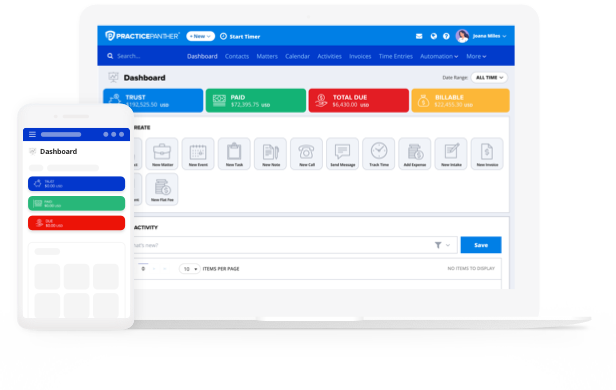
PracticePanther is built to support each of these requirements in a single, unified platform, including built-in trust accounting compliance with a guided three-way reconciliation wizard and IOLTA-compliant ledger management.
The platform also uses 256-bit encryption, maintains SOC 2 compliance, supports multi-factor authentication, and gives administrators granular control over staff permissions through role-based access controls. And PracticePanther’s secure client portal keeps document sharing and communication out of unencrypted channels, so you can maintain compliance with all relevant ABA Model Rules (including 1.1, 1.6, and 5.3).
Compliance isn’t something you can simply attach to a legal practice management platform after the fact. It either supports it from the ground up, or it doesn’t. To see how PracticePanther can support your firm’s compliance obligations, start your free trial or schedule a free demo to walk through the features with a PracticePanther team member.