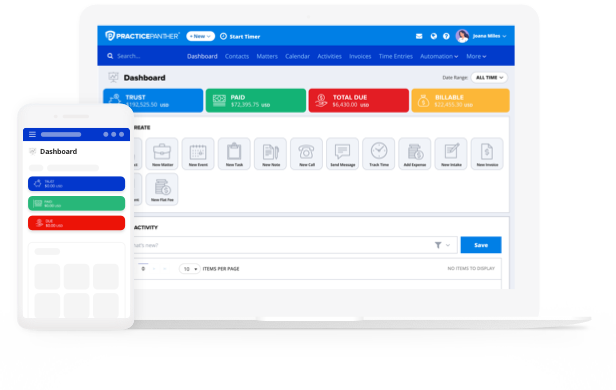


Trust accounting is already high-stakes work for your firm, yet many accounting systems make it harder than it needs to be. We recently hosted a live walkthrough of PantherAccounting Plus, our comprehensive legal accounting system built directly into PracticePanther. With this latest functionality, your firm is able to perform trust accounting, operating accounting, and financial reporting, all inside the same platform you already use to manage cases, track time, send invoices, and collect payments. In this blog, you’ll find a detailed breakdown of how PantherAccounting Plus can streamline your trust and operating accounting processes, with timestamps for each section we covered during our webinar. To access the recorded stream of this event, simply click below to view it for free!
The Gap Between Practice Management & Accounting for Modern Law Firms (5:54)
Most law firms default to using a practice management platform for matter management, time tracking, and invoicing, while separately using QuickBooks or a spreadsheet for accounting. Over time, that disconnect can create compliance risk due to potentially unreliable financial data and manual work that can compound into real issues. Other generic accounting platforms were designed for standard accounting, in direct correlation to the complex nuances inherent in legal accounting. With these systems:
- There’s no client-level fund segregation preventing a disbursement from taking a client into the negative.
- Its reconciliation is two-way (bank statement vs. ledger), which falls short of what bar compliance actually requires. It lacks a native understanding of three-way reconciliation.
- There are no safeguards against fund commingling or IOLTA deposit slip documentation.
The PantherAccounting Plus Difference (10:56)
PantherAccounting Plus, PracticePanther’s native legal accounting system, changes everything for law firms. It was built around two guiding accounting principles: keep your firm in compliance, and keep it simple. With PantherAccounting Plus, your entire trust and operating accounting workflow can now live inside PracticePanther, the same platform you can use to manage matters, track time, send invoices, and collect payments.
Simplifying Trust & IOLTA Account Management (13:09)
In PantherAccounting Plus, every deposit and disbursement is tied to a specific client. Funds are held separately from your operating accounts, with real-time per-client balances always visible, and built-in guardrails that prevent overdraws. Most practice management platforms just track a running trust total but don’t maintain a true client-level ledger with a full transaction history or automated safeguards. The most crucial aspect of trust accounting for law firms is the three-way reconciliation, matching your adjusted bank balance, your trust ledger, and the sum of all individual client ledger balances. QuickBooks can’t run this type of reconciliation. In contrast, PracticePanther’s guided Three-Way Reconciliation Wizard walks you through the process step-by-step and generates a completed audit-ready compliance report.
Accessing Built-In Operating Accounting & Chart of Accounts (27:29)
Trust compliance is only half the picture. The other half is your firm’s day-to-day operating accounting, which most practice management platforms lack the functionality to perform within their system. Instead, they hand you off to QuickBooks to duplicate the entry of every payment, adjustment, or write-off. By year-end, someone’s going line by line trying to reconcile every gap. PantherAccounting Plus handles operating accounting inside PracticPanther. Transactions are categorized at the point of entry using a law firm-specific Chart of Accounts (fully customizable to your firm’s structure). Additionally, bank feeds connect automatically, so nothing needs to be re-entered. When a client pays an invoice, that payment flows directly from the billing record into your ledger. Trust transfers, operating expenses, and reimbursable costs all move through one connected system.
Configuring Access Control: The Right People with the Right Views (32:20)
Controlling who in the firm sees what is just as important as having a clear financial picture. Most accounting platforms offer all-or-nothing access, which creates both risk and friction. An attorney should be able to review trust balances without needing full access to perform three-way reconciliations; similarly, a bookkeeper may only need access to view transactions without visibility into every reporting function. PantherAccounting Plus handles this with role-based permissions, so each user gets the exact access their role requires.
Using the Robust Suite of On-Demand Financial Reports (42:11)
When your financial data flows through one connected system, tax season stops feeling like a fire drill. PantherAccounting Plus generates Profit & Loss statements, Balance Sheets, Cash Flow Statements, and Trial Balance reports directly within the platform. All of our reports are customizable and filterable by date range, practice area, attorney, and much more. The reports are ready on demand and are easily exportable, so you can send them to your CPA or any other stakeholder whenever you need to.
Watch the Full Walkthrough
The webinar recording covers everything above in detail, including live demos of the reconciliation wizard, the billing-to-book workflow, and how to generate the financial reports. Fill out the form below to access it for free.
Have questions or ready to get started with PantherAccounting Plus? Book a time to get started today!