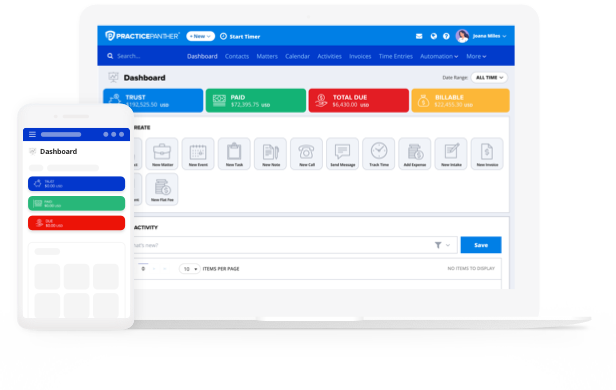
Investing in legal billing software is a no-brainer for most firms. But how much should you really expect to pay? More importantly, how do you determine whether that cost is justified by the value it brings?
Let’s break down the typical expenses, how “all-in-one” platforms shift the value equation, and how to forecast your return on investment.
Want additional context on the top legal office billing software? See PracticePanther’s comparative guide on the best legal billing software.
How Much Do Law Firms Spend on Software?
Small and mid-sized firms often allocate anywhere from 5% to 10% of gross revenue toward technology, including practice management, document systems, accounting, and billing. Larger firms may dedicate a smaller percentage of their resources but spend more in absolute dollars.
Within that tech budget, legal billing software is considered mission-critical. Firms often view it as core infrastructure, on par with case management, document management, and security. As such, many firms prefer solutions bundled into a broader practice management platform rather than discrete point solutions, because that minimizes overlap and admin burden.
When evaluating billing software, firms must consider both upfront costs (e.g., setup, onboarding, data migration, training) and ongoing costs (subscriptions, support, integrations). Sometimes, the upfront costs can act as a barrier even when long-term benefits are clear.

What Is the Average Cost of Billing Software?
Legal billing software pricing varies widely depending on features, user count, level of support, and whether it’s part of a complete practice management suite. Typically, law firms spend $30 to $100 per user per month on their legal billing software subscription. For reference, PractiePanther’s pricing for our base subscription starts at $49 per month per user.
Here’s what typical pricing looks like:
Base / Solo / Starter Plans
Designed for solo attorneys or very small practices, entry-level plans focus on essential billing and time-tracking capabilities. These tiers typically include solutions for logging hours, generating invoices, tracking expenses, and using prebuilt templates, giving small firms a cost-effective way to manage the basics of client billing without unnecessary complexity.
Mid-Tier / Essential Plans
As firms grow, mid-level plans introduce more control and customization. These tiers often add features like user permissions, advanced reporting, automated alerts, and branding options. The goal is to give firms better visibility into financial performance and more flexibility in managing team-wide billing processes.
Full / Business / Advanced Plans
For larger or more complex practices, advanced tiers expand functionality to support higher client volumes and specialized billing needs. Features like two-way client texting, intake and payment forms, LEDES-compliant billing, and workflow automation become available.
Enterprise / Add-On Models
At the top end, enterprise-level or add-on-based pricing models cater to firms needing advanced integrations, premium support, or custom configurations. These plans may include API access, white-label client portals, or advanced analytics dashboards. While costs can rise significantly—sometimes exceeding $130 per user monthly—they’re designed for firms that prioritize scalability, specialized compliance, and seamless integration with existing systems.
These prices often exclude setup fees, onboarding, data import, or premium support. Some vendors may also charge transaction fees or require third-party integrations (e.g. payment processors) that increase total cost.
It’s also worth noting that the most reliable legal billing options are packaged inside a full law practice management suites, which bundle billing, case management, document automation, calendaring, CRMs, payments, and more.
When you compare a narrow billing platform vs. an all-in-one suite, the incremental cost of the “extra” modules is often minimal compared to the duplicative costs of stitching software together.
ROI Timeline for Switching to Legal Billing Software
In theory, all worthwhile legal billing software should pay for itself, but how long should you expect to wait? The ROI timeline depends on several factors:
- Time saved on administrative tasks
If switching to automated billing saves each attorney or staff member even 30–60 minutes a day in manual entries, chasing down invoices, or reconciling data, that time savings quickly converts to billable or strategic work. - Reduced billing leakage / missed time
Many firms underbill because time slips through the cracks or entries get forgotten. A well-implemented billing system recovers lost time—essentially adding revenue that was already there but uncaptured. - Improved collections / fewer disputes
Clearer, error-free invoices mean fewer client billing disputes and faster payments. That boosts cash flow. - Scalability and reduced friction
As your firm grows, manual or disconnected systems strain more heavily. A robust platform supports expansion without proportionally increasing admin overhead.
Given these levers, many firms can start seeing ROI within 6 to 18 months. For smaller firms, the breakeven might lean toward the shorter side (6–12 months), while larger or more complex firms may take up to 18 months or more to recoup setup and change-management costs.
To estimate your own ROI, a rough formula is:
Expected annual non-software cost savings + recovered (missed) billing
minus
Total annual software cost (subscription + support)
——————————————-
Total software cost
= ROI multiple or payback period
For example, if you anticipate recovering $12,000 in lost billing and saving $6,000 in admin costs, but your software costs $6,000/year, your net gain is $12,000 (~200% ROI). This means you recoup your investment in ~6 months.

Comparing Monthly Pricing Tiers for Top Legal Billing Platforms
When comparing platforms side by side, here’s what to watch out for—and how PracticePanther stacks up relative to alternatives.
| Platform / Tier | Approx. Price per User | Key Inclusions / Trade-offs |
| PracticePanther Solo | $49/mo | Basic billing, time, expense, templates — ideal for solo attorneys |
| PracticePanther Essential | $69/mo | Adds customization, security, extra features like read alerts |
| PracticePanther Business | $89/mo | LEDES billing, intake, texting, enhanced features |
| PracticePanther Business Pro | $114/mo | Full suite, including: Trust Accounting Operating Accounting Enhanced Reconciliation Process GL / AR / Expense Management |
| Clio | $139+/mo | Many features but higher add-on and integration costs |
| Smokeball | $219/mo | Rich features but more expensive at scale |
When doing comparative pricing, look beyond the sticker price. Ask:
- What features are gated behind add-ons?
- Are there transaction fees or data export charges?
- What level of support is included?
- Is data migration or onboarding part of the package?
- Does this platform replace or supplement your existing tech?
Because PracticePanther is a true all-in-one practice management system, our “billing” component comes bundled with case management, document features, calendaring, client portal, payments, and more; so the incremental value per dollar tends to be higher compared to stand-alone billing solutions.
Wrapping Up: Affordability vs Value
Determining how much legal billing software should cost is less helpful than evaluating what value it contributes and how long it takes to recoup that cost. The firms that get the most out of their legal billing platforms typically:
- Evaluate total cost (subscription + onboarding + support)
- Estimate time savings, reduced leakage, and improved cash collections
- Compare pricing tiers side by side with a focus on features and friction
- Use all-in-one platforms (like PracticePanther) to eliminate integration or overlap waste
By anchoring your decision in ROI and strategic value rather than just the lowest price, your firm will be better positioned to adopt software that aligns with growth and profitability—not just short-term savings.