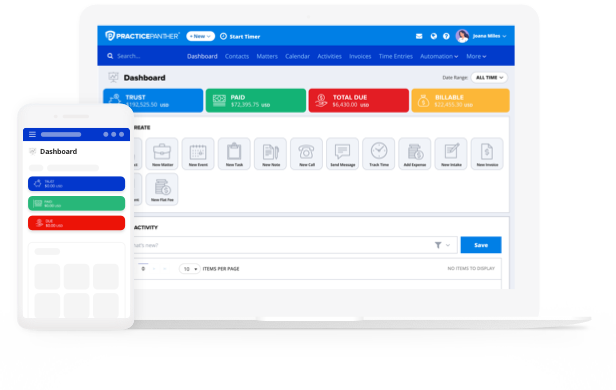
Billing can be one of the most time-consuming—and error-prone—parts of running a law firm.
For many firms, billing depends on manual time entry, spreadsheet reconciliation, and end-of-month scrambles to generate invoices. The results are predictable: delayed billing, inconsistent invoices, missed revenue, and uncomfortable client conversations.
When firms automate billing, they reduce administrative work, improve accuracy, and get paid faster, without sacrificing transparency or control.
This guide walks through how to automate legal billing from intake to invoice, what workflows matter most, and how reliable automation in legal billing software supports healthier cash flow and stronger client relationships.
What Is Legal Billing Automation?
Legal billing workflow automation software uses connected systems within a legal practice management platform to streamline time tracking, invoice generation, payment collection, and financial reporting, without relying on manual data entry or compiling siloed information.
Automated legal billing systems like PracticePanther connect:
- Matter and client data
- Billing rules, codes, and rate structures
- Invoice creation and delivery
- E-payments and financial records
Why Law Firms Automate Legal Billing in the First Place
Before diving into the how of legal billing automation, it’s important to understand why it has become a priority across the legal industry.
Firms typically automate billing to:
- Reduce time spent on administrative work (PracticePanther’s automated workflows reduce redundant administrative tasks, saving attorneys 8+ every week)
- Eliminate billing errors caused by manual entry
- Improve invoice consistency and transparency
- Accelerate payment timelines (PracticePanther’s built-in online payment processor gets law firms paid 70% faster)
- Gain real-time insight into firm revenue with custom financial reporting
For those operating with lean teams, automated billing is often the difference between predictable cash flow and constant follow-ups.
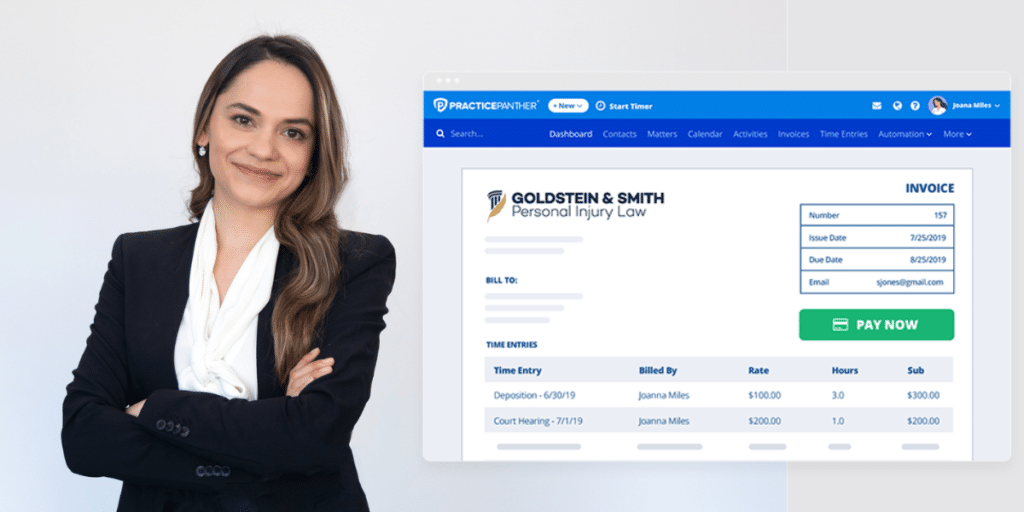
How Does Automation for Legal Billing Work?
Automations can be intimidating, especially if this is your first foray into legal billing software. To help you get a handle on the ins and outs, we’ve outlined key components of legal billing automation below.
Centralizing Time and Expense Tracking at the Matter Level
The first priority in automating billing is ensuring that time and expenses are captured accurately and consistently.
Manual time tracking carries significant risks. Attorneys are too busy to log time, are often forced to reconstruct work from memory, and unintentionally record entries inconsistently. Automated billing workflows tie time tracking directly to matters, ensuring every billable moment is documented and filed correctly.
Key features to look out for include:
- One-click time tracking from within a matter
- Timers that run while work is being performed
- Expense logging tied to specific cases
- Automatic association of entries with the correct client
When time and expenses are centralized at the matter level, billing accuracy improves immediately. There is no need to reconcile separate systems or manually match entries to invoices later.
Applying Billing Rules and Rate Structures Automatically
Once time and expenses are captured consistently, it’s time to focus on automating how those entries are billed.
Automated legal billing systems allow firms to define billing rules in advance, such as:
- Hourly, flat fee, or hybrid rate structures
- Matter-specific or client-specific rates
- Billing increments and rounding rules
- Discount or alternative fee arrangements
Instead of manually adjusting invoices each month, these rules are applied automatically as work is logged.
When billing rules are standardized and automated, invoices are consistent across matters and attorneys—reducing disputes and internal confusion.
Generating Invoices Automatically from Real-Time Data
With time, expenses, and billing rules in place, invoice generation becomes a system-driven process rather than a manual task.
Automated billing workflows generate invoices using real-time matter data, ensuring that:
- All billable work is captured
- Descriptions are consistent and detailed
- Rates are applied correctly
- Invoices reflect the current status of the matter
Instead of waiting until the end of the month to compile billing data, firms can generate custom invoices on demand—or on a set schedule—with confidence in their accuracy.
For small firms, in particular, this step removes one of the biggest operational bottlenecks in legal billing.
Delivering Invoices and Tracking Statuses Automatically
Legal billing workflows include automatic invoice delivery and tracking, so firms always know:
- When an invoice was sent
- Whether it has been viewed
- What remains outstanding
Automated invoice delivery reduces delays caused by manual emailing or mailing processes. While automated status tracking eliminates the need to chase down payment information across systems.
This visibility helps firms follow up appropriately, without risking unnecessary reminders.
Adding E-Payments Directly into the Billing Process
One of the most impactful functions of automating billing for legal services is e-payments. When payment systems are disconnected from billing and matter data, firms face reconciliation issues and delayed revenue. E-payment workflows close that gap.
Automated billing systems with built-in e-payments allow clients to:
- Pay invoices directly from a linked invoice
- Use multiple payment methods (credit card, eCheck, or ACH)
- Receive automatic reminders for past due invoices
For firms, payments are automatically recorded and tied to the correct matter, improving financial accuracy and reporting.
Maintaining Oversight with Automated Financial Reporting
Top legal billing systems include automated reporting that provides insight into:
- Outstanding invoices
- Revenue by client or matter
- Time billed versus collected
- Payment trends over time
Because reports pull directly from live system data, firms gain real-time visibility into financial performance. This supports better decision-making and long-term planning, especially for growing firms.
How Automated Legal Billing Improves the Attorney-Client Relationship
Billing is one of the most sensitive touchpoints in the attorney-client relationship. Automated billing improves those relationships by increasing transparency and reducing friction. This is especially true for platforms that include a robust client portal, where invoices and all relevant client information can be stored.
Clear, Consistent Invoices: Clients receive invoices that follow predictable formats and billing rules, making charges easier to understand and trust.
Fewer Billing Disputes: When invoices are accurate and detailed, disputes decrease. Clients spend less time questioning charges and more time focusing on outcomes.
Easier Payments: Built-in e-payments make it easier for clients to pay promptly, improving satisfaction while accelerating firm revenue.
How to Evaluate Legal Billing Automation for Your Firm
Not all billing automation is created equal. When evaluating systems, firms should look beyond surface-level features and ask:
- Is time tracking fully integrated with matters?
- Are billing rules applied automatically or manually?
- How are invoices generated and delivered?
- Are payments embedded or handled separately?
- Can financial data be viewed in real time?
Ultimately, the best systems automate billing without requiring constant oversight or workarounds.

Begin Your Legal Billing Automation Software Journey
Automation is not about removing human judgment—it’s about removing friction.
By integrating time tracking, billing rules, invoice generation, and payments into a cohesive workflow, firms improve accuracy, accelerate cash flow, and strengthen client trust.
For firms looking to scale sustainably, billing automation is no longer optional. It’s a foundational workflow that supports both operational efficiency and long-term growth.
Want to see workflows in action? Schedule a custom demo or start your free trial with PracticePanther today!
Frequently Asked Questions: Automating Billing for Legal Services
How do firms automate billing for legal services?
Firms automate billing by using integrated systems that connect time tracking, billing rules, invoice generation, and e-payments. Automation reduces manual entry and ensures consistent, accurate invoices. PracticePanther’s automations save firms over 8 hours in admin work per week.
Is billing automation only for large law firms?
No. Small firms often benefit the most from billing automation because it reduces administrative workload and improves cash flow without additional staff.
Does billing automation reduce control over invoices?
No. Automated systems allow firms to define billing rules in advance and review invoices before sending. Automation increases consistency while preserving oversight. PracticePanther lets you schedule automated payment reminders on a cadence that works for your firm, complete with customizable messaging—so clients receive timely prompts and you can avoid those uncomfortable follow-up calls about outstanding balances.
How does billing automation help firms get paid faster?
Automated invoicing and integrated e-payments reduce delays between billing and payment, making it easier for clients to pay promptly.